Severity and scope
See how urgent the issue is and which account or object it affects.
HelmMind monitors authorized account signals, ranks issues by urgency, and explains why each alert was triggered. You see the evidence before deciding what to do next.
Alerts are organized around the situations that consume optimizer attention every day.
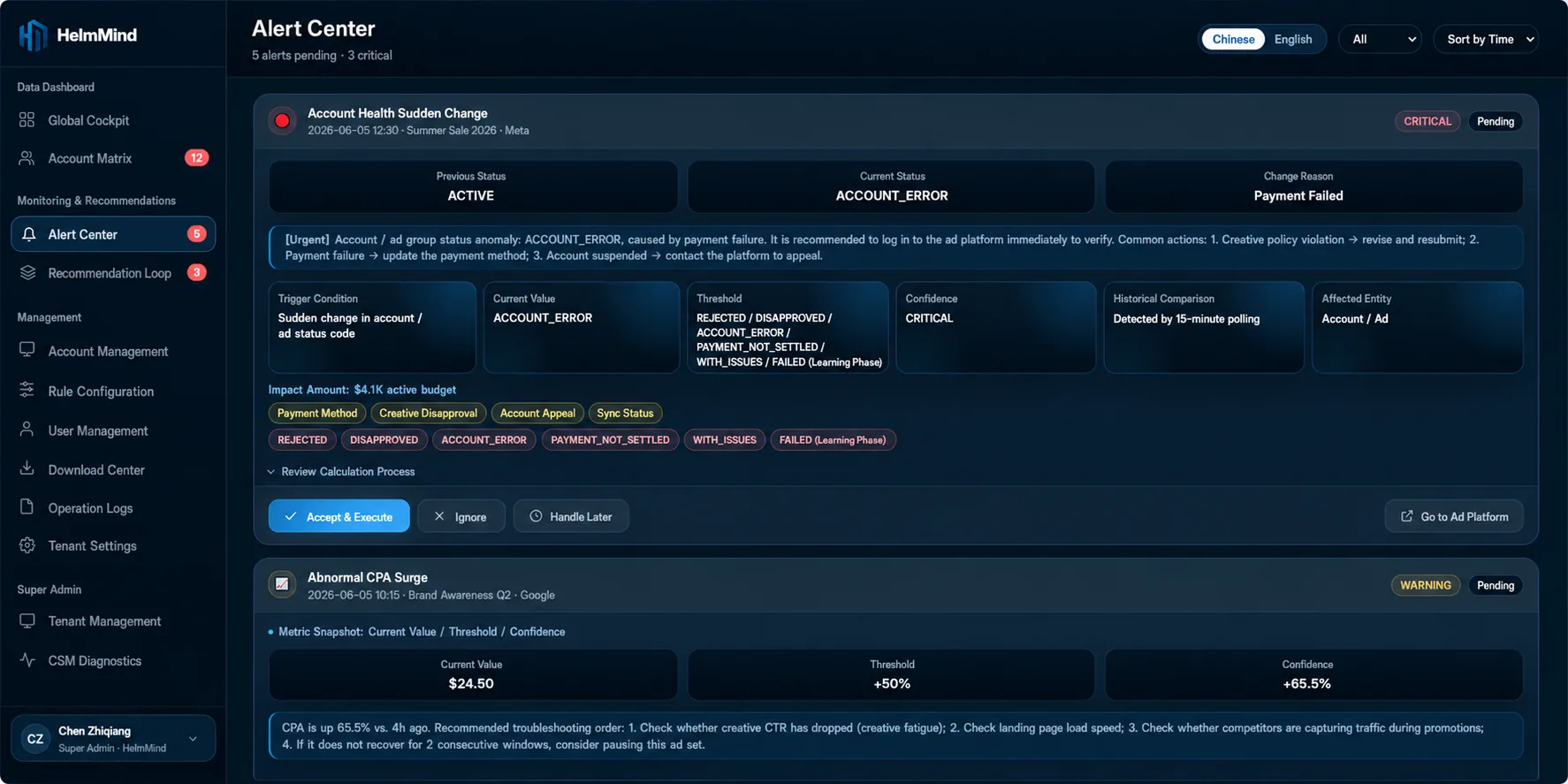
Open an alert to see the affected account, trigger condition, comparison period, supporting metrics, data-health context, and recommended next step. The rule and threshold remain inspectable rather than hidden inside a black box.
See how urgent the issue is and which account or object it affects.
Inspect the rule, threshold, data window, and comparison period.
Move into a linked recommendation or an operator checklist with context preserved.
Highlighted until an operator opens its evidence and next steps.
Opening the alert or its related recommendation makes the state clear.
The decision and outcome remain in the log instead of disappearing.
No certain suggestion is produced until the data issue is resolved.
See how evidence-led alerts work with human approval, not around it.